Clockify
Timer first. Free for up to 5 active users, paid plans from $3.99/user/month (annual). Screenshots, GPS and scheduling are on Pro; approvals, invoicing and time off start at Standard.
Toolscase is a Clockify alternative for teams that need proof of work, not just a timer. Clockify keeps screenshots for its Pro plan ($7.99/user/month, billed annually) and doesn't show managers activity levels. Toolscase captures screenshots on every plan, including free for up to 5 users, adds activity levels and CSV exports from $3/user, and writes an AI summary of each person's day on Pro at $5/user.
Quick verdict: Switch to Toolscase if you want screenshots, activity levels and AI daily summaries without paying for Clockify Pro, or if your developers want Git commits and Kanban tasks next to their hours. Stay with Clockify if you need client invoicing, GPS tracking, kiosk clock-in or mobile apps today. Toolscase doesn't have those yet, and we would rather say so here than after you sign up.
Clockify used to be the default answer for "free time tracker for a team". In 2026 it capped its free plan at 5 active users and moved billable rates, CSV and Excel report exports, shared reports and private projects to paid plans. Free-plan reports are also limited to 31 days per report. Workspaces with more than 5 active users have to deactivate people or upgrade, according to Clockify's help center.
If that change is why you are looking around, here is the honest picture: Toolscase's free plan is also capped at 5 users and doesn't include report exports either. The difference is what you get for the money. Toolscase Free includes screenshots (kept for 2 days), Starter adds activity monitoring, app usage tracking and CSV exports for $3/user, and Pro adds AI daily summaries, approvals, Kanban, Git integration, payroll and leave management for $5/user. On Clockify, screenshots alone need the Pro plan at $7.99/user.
Where each plan puts the features people usually switch for, plus the rows where Clockify is ahead.
| Feature | Toolscase | Clockify |
|---|---|---|
| Free plan | Up to 5 users | Up to 5 active users |
| Cheapest paid plan | $3/user/mo (Starter) | $3.99/user/mo (Basic) |
| Screenshots | Every plan (Free keeps 2 days) | Pro & Enterprise only ($7.99+) |
| Activity levels managers can see | Starter and up ($3) | No (idle detection stays on the user's computer) |
| AI-written daily work summaries | Pro ($5) | Not listed on any plan |
| CSV report export | Starter and up ($3) | Paid plans (removed from Free in 2026) |
| Billable flag and hourly rate per project | Every plan | Paid plans (removed from Free in 2026) |
| Timesheet approvals | Pro ($5) | Standard and up ($5.49) |
| Leave / time off management | Pro ($5) | Standard and up ($5.49) |
| Client invoicing | Coming soon | Standard and up |
| GPS / location tracking | Pro and up | |
| Kiosk clock-in on a shared device | Basic and up | |
| iOS and Android apps |
Clockify details from Clockify's pricing page and help center, checked October 2026. Prices are per user per month; Clockify's are for annual billing. Plans change, so check before you buy.
The gaps that come up most often when software teams and agencies outgrow Clockify.
Clockify only takes screenshots on its Pro and Enterprise plans. Toolscase captures them on every plan, with optional blur and a per-project off switch. Free keeps them for 2 days, Starter for 30.
From the $3 Starter plan, Toolscase measures activity levels from keyboard and mouse input (never what was typed). Clockify's idle detection runs on the user's own computer, so admins don't see it.
On Pro, Toolscase writes a plain-English summary of each person's day from their tracked time, apps and tasks. Clockify doesn't list AI summaries on any of its plans.
Toolscase Pro includes a Kanban board where you can start a timer from a card. Task codes like WEB-001 show up in reports without extra tagging.
Connect GitHub, GitLab or Bitbucket and commits from the repositories each person chooses to share appear next to their sessions in reports (Pro).
Employees can see their own screenshots, activity and reports. Monitoring is visible to the people being tracked, which makes it easier to explain and easier to accept.
Most people comparing Clockify alternatives also look at Hubstaff. The three tools start from different places.
Timer first. Free for up to 5 active users, paid plans from $3.99/user/month (annual). Screenshots, GPS and scheduling are on Pro; approvals, invoicing and time off start at Standard.
Monitoring first. Screenshots and activity levels are central to the product, and location tracking suits field teams. Free for a single user; paid plans from $4.99/seat/month billed annually, with a 2-seat minimum.
Monitoring plus AI for desk-based teams. Screenshots on every plan, activity levels from $3/user and AI-written daily summaries at $5/user. No GPS or mobile app yet.
Going deeper on Hubstaff? Read Toolscase vs Hubstaff or our Hubstaff alternative guide. Hubstaff details from public pricing sources, checked October 2026.
Most teams are tracking in Toolscase within an afternoon. The part that takes longer is agreeing the monitoring policy with the team.
Toolscase can't import Clockify time entries, so download the reports you need for your records first. On Clockify's free plan only PDF export is left; CSV and Excel exports need a paid Clockify plan.
Invite people one by one, or upload a CSV with email, name, role and hourly rate (up to 200 rows per upload). Roles are admin, manager, HR and employee.
Add the projects you are still billing, mark them billable and set an hourly rate. On Pro, add tasks to the Kanban board so task codes appear in reports from day one.
Install the app on Windows, macOS or Linux. Choose a screenshot interval, whether to blur screenshots, which projects capture them, and whether activity is tracked. Tell the team before you switch anything on.
Track in both for a week or a pay period, compare the totals, then cancel Clockify once the numbers line up and managers trust the new reports.
Screenshots from a real Toolscase workspace — the same screens you'd use day to day if you moved off Clockify.

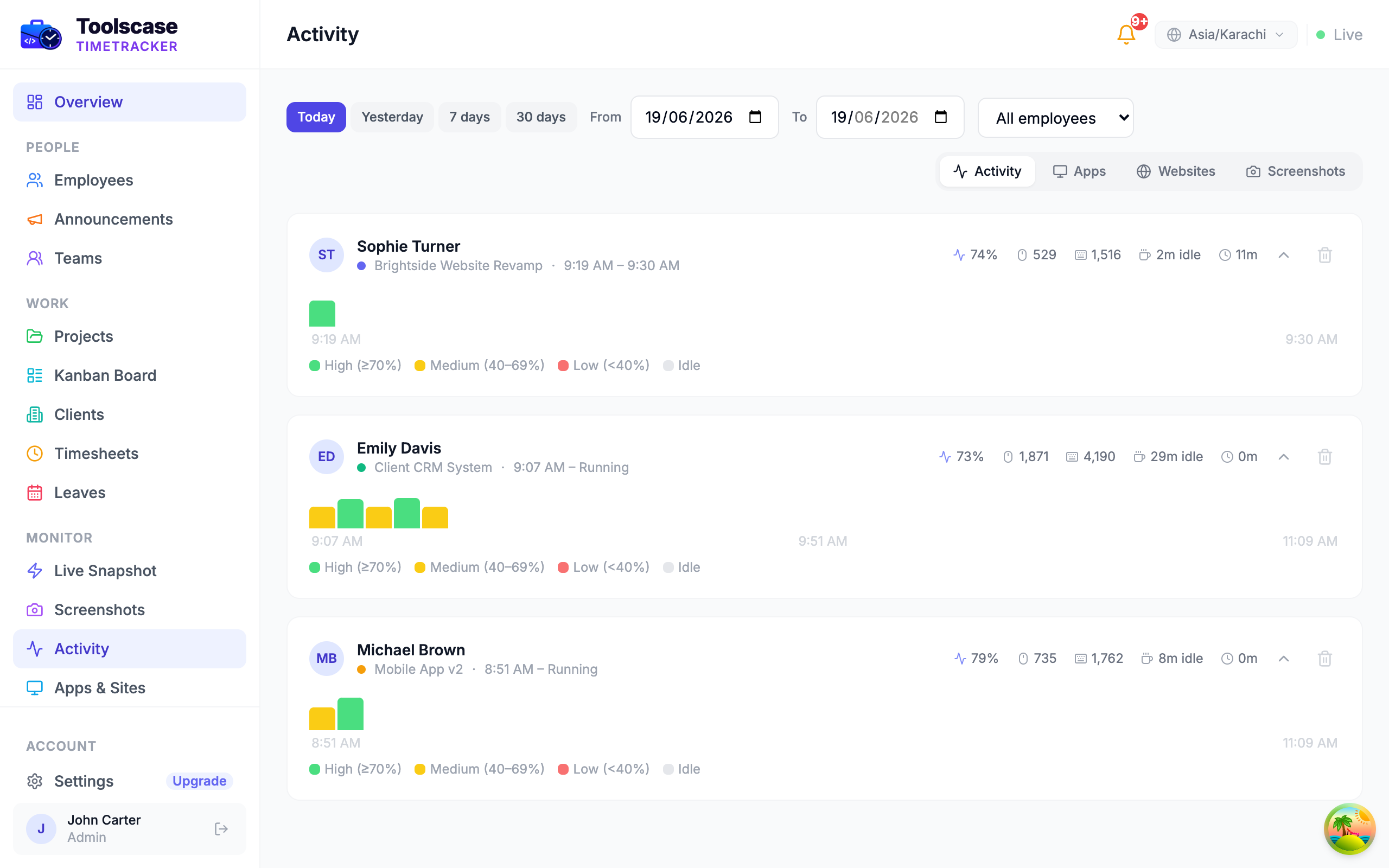
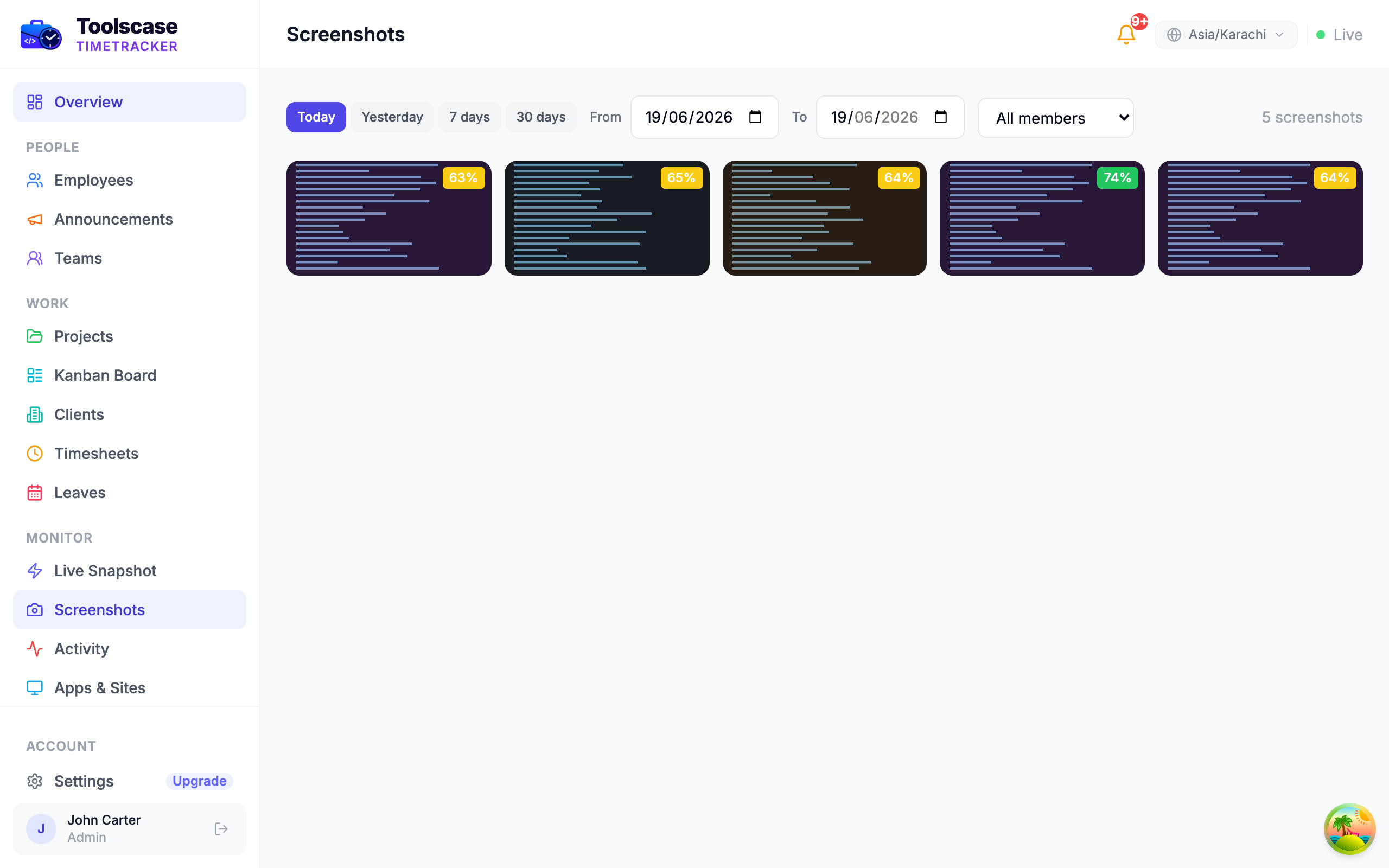
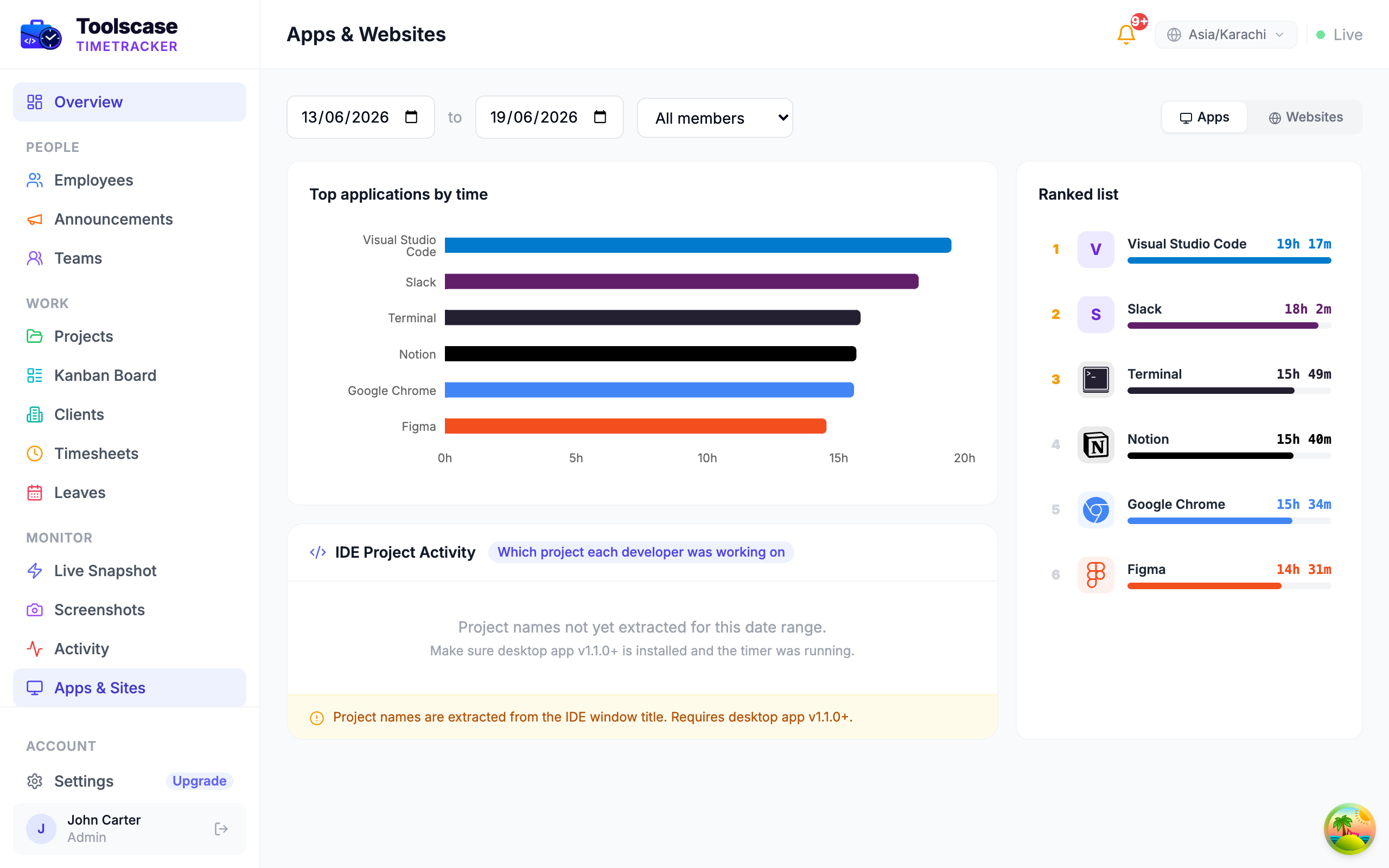
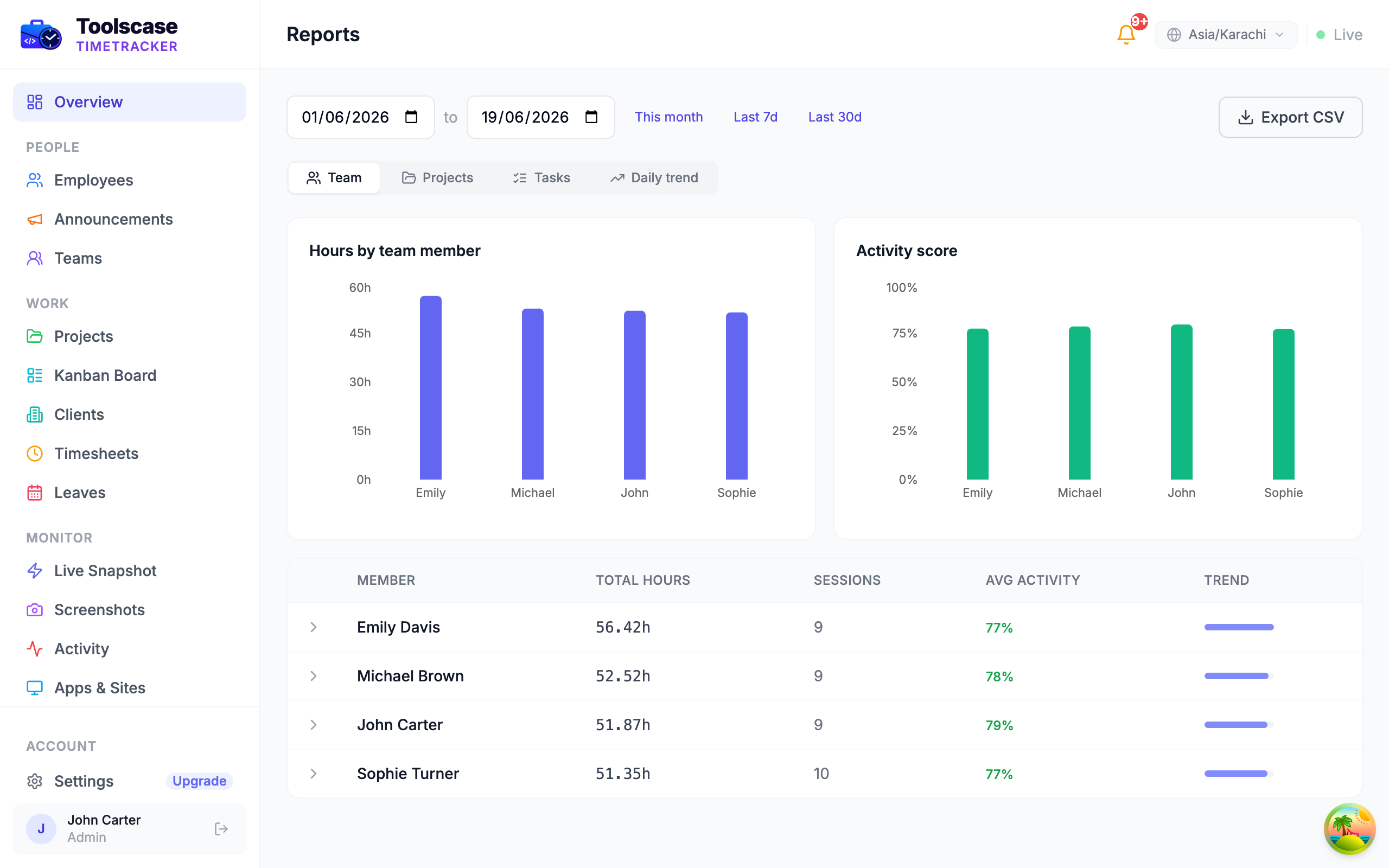
A quick walkthrough of the timer, screenshots, AI daily reports, and Kanban board, so you can compare the day-to-day workflow with Clockify yourself.
Prefer a live walkthrough with your own use case? Book a demo →
Stop reading, start tracking.
Screenshots, activity levels, AI daily reports and timesheets in one app for Mac, Windows and Linux.
Clockify is a strong, low-cost timer. Toolscase becomes the better alternative when managers need the context around time: screenshots, activity levels, AI daily summaries, Kanban tasks, Git activity, approvals, payroll summaries, and leave management. This matters most for software teams and agencies that bill clients for focused delivery work.
A time entry that says four hours on a project may be technically accurate but still weak as client evidence. Toolscase is designed to make reporting more complete. Screenshots show work state, AI summaries explain the day, Git links connect engineering activity, and manager approvals create a cleaner review trail before billing.
Clockify can remain enough for a very small team with simple reporting needs. As soon as the workflow includes multiple clients, remote employees, approvals, payroll summaries, or client questions about billed time, Toolscase gives the team a more structured operating system for time tracking.
Clockify is best for teams that mainly need a low-cost timer, plus invoicing, time off or GPS on its paid plans, and do not need activity levels, AI summaries, or developer workflow context.
Clockify's free plan is now capped at 5 active users and screenshots need its Pro plan. Software agencies often outgrow it when they need billing evidence, activity context, and manager-ready reporting at a lower per-seat price.
Export the Clockify reports you want to keep (Toolscase can't import Clockify time entries), recreate active projects in Toolscase, then run one billing cycle in parallel before switching invoices to Toolscase exports.
It depends on why you are leaving. If you want screenshots, activity levels or AI daily summaries without paying for Clockify Pro, Toolscase covers all three for $3 to $5 per user. If you need invoicing built into the tracker today, look at Harvest or Paymo. If you manage field staff and need GPS, Hubstaff is the closer fit. If you only need a free basic timer for a small team, Toggl Track's free plan also covers up to 5 users.
Yes. Toolscase's free plan covers up to 5 users with the desktop app for Windows, macOS and Linux, time tracking, projects, and screenshots kept for 2 days. Activity monitoring, CSV exports and AI summaries need a paid plan. Since 2026, Clockify's own free plan is also capped at 5 active users, so neither free plan suits a larger team.
Yes, but only on its Pro and Enterprise plans (from $7.99 per user per month billed annually), through Clockify's Windows and Mac desktop apps. Toolscase captures screenshots on every plan, including Free, with optional blur and a per-project off switch.
At most tiers, yes. Toolscase Starter is $3 per user per month against $3.99 for Clockify Basic on annual billing. Screenshots cost $0 to $3 per user on Toolscase and $7.99 on Clockify Pro. Timesheet approvals and leave management are in Toolscase Pro at $5; Clockify puts them in Standard at $5.49. Clockify's monthly prices are higher than its annual ones.
Not automatically. Toolscase has no importer for Clockify time entries today, so download your Clockify reports before you switch (on Clockify's free plan only PDF export remains; CSV and Excel exports need a paid plan). You can bulk-invite your team to Toolscase from a CSV file with email, name, role and hourly rate.
Client invoicing (Toolscase's invoicing is still coming soon), GPS location tracking, kiosk clock-in from a shared device, scheduling, and iOS and Android apps. If any of those are must-haves, Clockify or a more specialized tool is the better fit today.
Clockify is a timer first: low-cost plans, with screenshots and GPS only on Pro. Hubstaff is monitoring first: screenshots and activity levels are central, it offers location tracking for field teams, it is free for a single user and paid plans start at $4.99 per seat per month billed annually. If your team works at desks and you want monitoring plus AI-written daily summaries, Toolscase covers that from $3 to $5 per user.
It goes better when monitoring is visible and scoped. In Toolscase, employees can see their own screenshots and activity, screenshots can be blurred, and you can switch them off per project. Activity levels are measured from keyboard and mouse input, and Toolscase never records what was typed.
Free for up to 5 users, screenshots included. Paid plans from $3/user. No credit card required.
Start free →Try Toolscase free14-day trial · No card required
Start free